
Drive Business Value With Microsoft 365 Copilot
Adopt and scale Copilot with intent and trust.
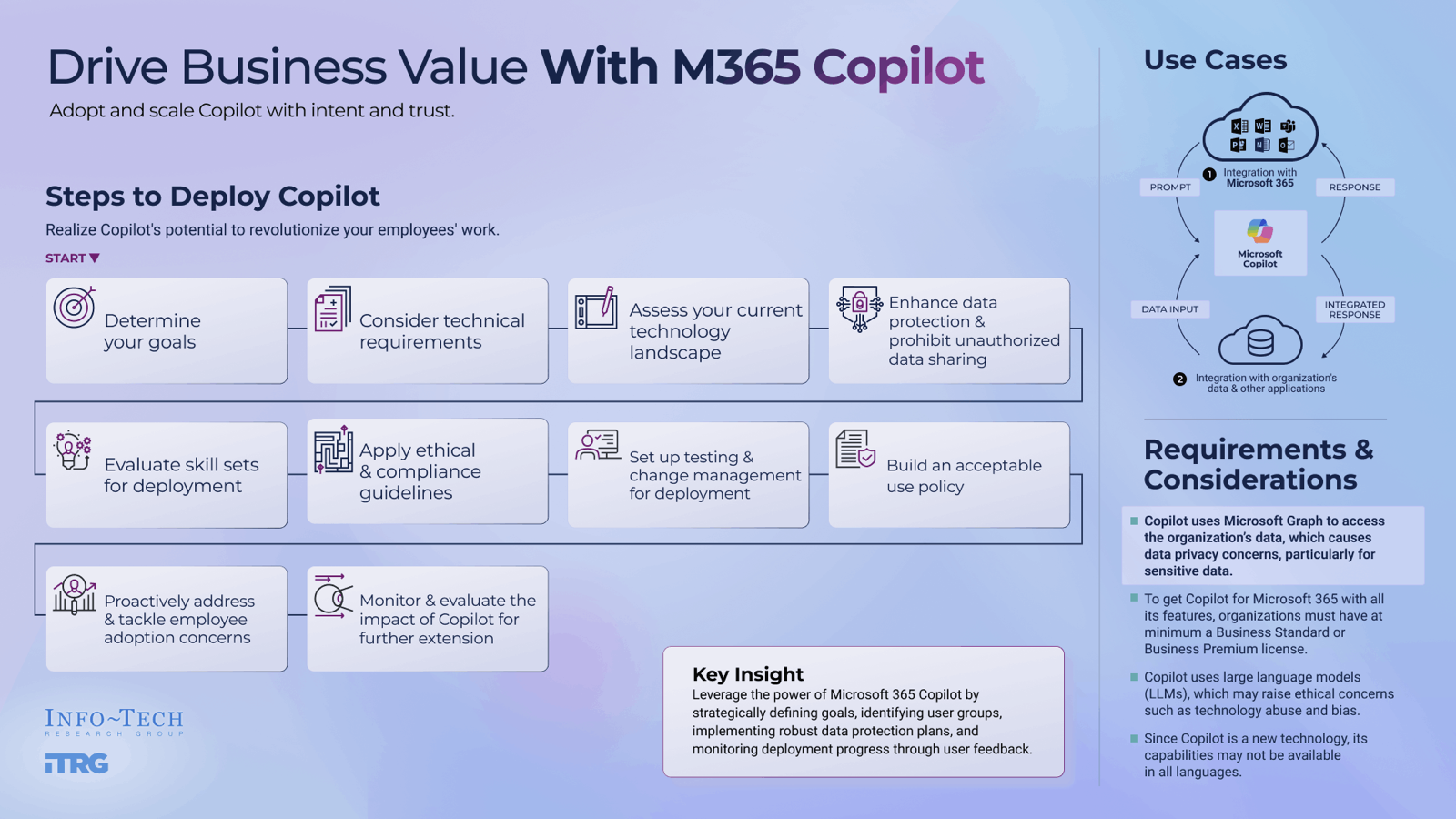
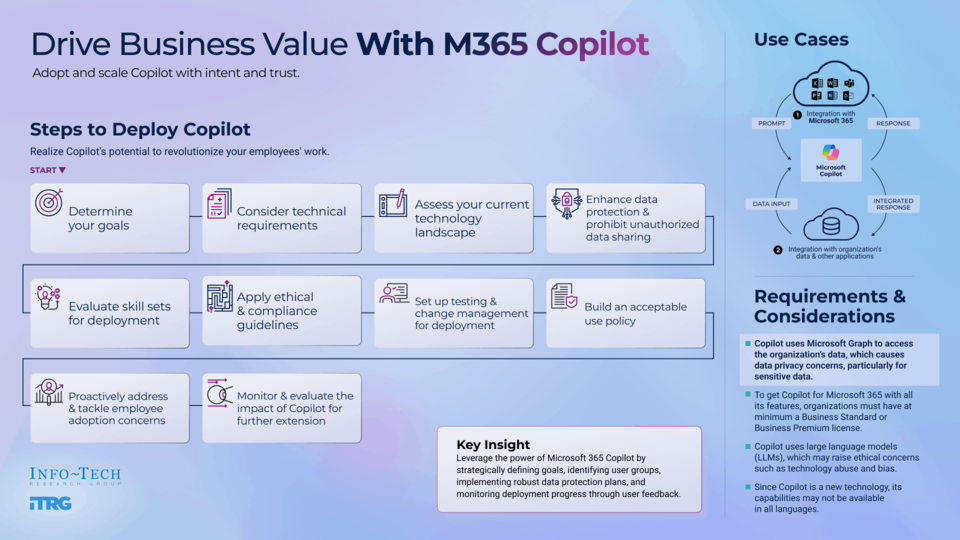
Microsoft 365 Copilot introduces a major change in how work gets done — but without a structured approach, it can create confusion, risk, and unrealized expectations. Leading your organization to value with Copilot depends on effective controls paired with capability-aligned use cases to scale safely and deliver meaningful impact. Our step-by-step framework helps you translate Copilot’s capabilities into measurable value by identifying where it will create real impact, defining clear guardrails, and aligning adoption to organizational readiness.
Copilot momentum is accelerating across enterprises, but momentum alone does not create enterprise impact. Organizations face pressure to prove ROI quickly while navigating data readiness gaps, unclear governance ownership, and inconsistent controls that can undermine trust and limit long-term value. Without a deliberate approach, Copilot risks amplifying existing weaknesses rather than strengthening organizational capability.
1. Move from experimentation to measurable value.
Organizations that treat Copilot as a broad productivity experiment struggle to show return on investment. Those that intentionally align Copilot’s key capabilities to real organizational problems and opportunities – and prioritize high-value use cases – will see Copilot become a lever for measurable performance improvement.
2. Balance controls for opportunity and risk.
Weak controls create unacceptable risk, but overly restrictive controls limit opportunity for value creation. Starting with controls without a proper process gets in the way of organizational value, yet misaligned controls and inefficient messaging can slow value, adoption, and impact. The objective is to set the right guardrails for your organization to enable both safe adoption and business impact, starting with a clear view to the value you expect to achieve with Copilot.
3. Create the structure for safe, scalable adoption.
Left to figure it out on their own, users tend not to use Copilot to its full potential. Sustainable impact requires defined ownership, clear roles and responsibilities, responsible AI guiding principles, and structured change management. Without a deliberate enablement model, adoption fragments, accountability weakens, and value erodes over time.
Use this step-by-step guide to adopt Copilot safely, strategically, and at scale.
This blueprint provides a structured Copilot adoption strategy and four-phase approach to help you overcome the obstacles and get to value faster. It helps you establish foundational understanding about the necessary requirements for successful Copilot deployment: identify high-value opportunities, define clear guardrails, and build a structured roadmap for safe and scalable adoption.
Use our four-phase approach, along with practical tools and templates, to:
- Review M365 Copilot capabilities by establishing a shared understanding of what AI is and what it isn’t.
- Prioritize and scope high-value use cases by identifying business friction and aligning Copilot’s key capabilities to real organizational problems, opportunities and stakeholders.
- Develop your enablement framework by identifying controls and change management approaches aligned to risk and defining responsible AI guiding principles.
- Build your M365 Copilot roadmap by defining a proof-of-concept framework and identifying roles and responsibilities for ongoing Copilot support.
Member Testimonials
After each Info-Tech experience, we ask our members to quantify the real-time savings, monetary impact, and project improvements our research helped them achieve. See our top member experiences for this blueprint and what our clients have to say.
9.4/10
Overall Impact
$71,191
Average $ Saved
9
Average Days Saved
Client
Experience
Impact
$ Saved
Days Saved
Saskatchewan Indian Gaming Authority
Guided Implementation
10/10
$10,000
5
City of St Albert
Guided Implementation
10/10
$5,000
3
Not only was the information provided extremely helpful, but Ben's review of the presentation I prepared and the opportunity to go through it with ... Read More
County of Washoe, NV
Guided Implementation
10/10
$2,207
6
NACCO Industries
Workshop
10/10
$689K
32
Andrew was extremely helpful and engaging. Great fit for our culture
American Regent, Inc.
Guided Implementation
10/10
$32,429
23
Hawaii National Bank
Workshop
7/10
$6,899
7
City of Moreno Valley
Guided Implementation
10/10
$5,440
2
Great Lakes Water Authority
Guided Implementation
10/10
$13,600
9
No bad parts. Scott is awesome!
Carver County, MN
Guided Implementation
9/10
$1,088
2
State Universities Retirement System Of Illinois
Guided Implementation
10/10
N/A
20
Scott presented many things to consider when implement Copilot into our environment, particularly in the preparation and readiness aspects. There ... Read More
Blue Cross Blue Shield of North Dakota
Guided Implementation
10/10
N/A
5
Ability to discuss projects and our ideas and hear from an expert who has seen 100 of these implementations is very valuable. No negatives with ou... Read More
Lifespace Communities, Inc.
Guided Implementation
8/10
$4,110
4
Cidel Bank & Trust
Guided Implementation
9/10
$12,330
5
John was very helpful and knowledgeable in his advice on copilot, and was able to make suggestions and recommendations for how we can approach its ... Read More
The Salvation Army UK and Ireland
Guided Implementation
9/10
N/A
N/A
Mahmoud’s insights were of great value to help move us forward for testing of Microsoft’s Copilot. He is extremely knowledgeable and pointed us in ... Read More
Drive Business Value With M365 Copilot
Adopt and scale Copilot with intent and trust.
Analyst perspective
Translate Copilot capability into measurable value.

Mahmoud Ramin
Research Director
AI Research
Info-Tech Research Group

Andrew Sharp
Research Lead
AI Research
Info-Tech Research Group
Microsoft 365 Copilot introduces a steep change in how the work gets done. It enables users to write content, analyze data and get insights within seconds, craft emails according to the provided documents and client sentiments, and provide a summary of meetings and define next steps. These capabilities boost employee productivity and work quality while reducing errors and saving time.
To realize this value, users must understand Copilot’s capabilities and how it will impact their tasks. Business leaders need to know about the requirements to use such an impactful solution. Data privacy and access control are central concerns. As Copilot automatically adheres to an organization’s stringent security, compliance, and privacy protocols, providing it with an effective privacy policy will prevent data breaches.
Besides privacy concerns, business leaders want to make sure that Copilot will be the right technology for them given their infrastructure landscape, making use case identification critical. They also want to make sure that Copilot will be well adopted by users to ensure the expense doesn’t go to waste.
This research helps organizations establish foundational understanding about necessary requirements for successful Copilot deployment. It supports leaders in defining clear guardrails and creating the conditions for safe and scalable Copilot adoption.
Executive summary
Your Challenge
The business wants AI, and you’re the one that’s expected to deliver it.
- Your organization is a Microsoft shop. Copilot feels like the logical first step to deliver AI tools to your wider organization.
- You’re expected to both configure the solution and train the business to use it.
- It’s your job to manage the solution once it’s deployed.
Common Obstacles
Getting value from Copilot requires more than buying and provisioning licenses:
- Business leaders have serious expectations for Copilot’s capabilities.
- However, left to figure it out on their own, users tend not to use the tool to its full potential.
- Data silos, inconsistent governance, and messy access permissions can reduce the accuracy of results or create privacy and security risks.
Info-Tech’s Approach
Overcome the obstacles and get to value:
- Align Copilot’s key capabilities to real business problems and opportunities.
- Unpack what’s needed to make these use cases work in practice.
- Identify controls and change management approaches aligned to risk.
- Identify roles and responsibilities for ongoing Copilot support.
Info-Tech Insight
Enablement depends on many complicated and technical factors: data, governance, licensing, access, change management, etc. Lack of balance between opportunity and risk can create business risk or limited usefulness. Leverage the power of Microsoft 365 Copilot by strategically defining goals, identifying user groups, implementing robust data protection plans, and monitoring deployment progress through user feedback.
Your challenge
You’re rolling out M365 Copilot to your organization.
M365 Copilot is Microsoft’s end-user offering to enable an organization’s employees to integrate the functionality of large language models (LLMs) with the organization’s data and familiar productivity and collaboration tools, including Teams, Excel, Word, and PowerPoint. To ensure effective and M365 Copilot adoption, organizations need to:
- Address organizational demand for AI technology.
- Deliver tools and training in a streamlined and sustainable manner.
- Identify business opportunities for M365 Copilot and work toward showing concrete business value.
Many organizations choose to implement an AI-powered assistant like M365 Copilot just because everyone else is.
The challenge is to consequentially impact ROI and productivity at the enterprise level, reducing confusion along the way.
Info-Tech Insight
M365 Copilot adoption may seem straightforward at the start, but when considering organizational capabilities, implementation complications, and a rapidly changing technological environment, organizations can often find themselves struggling to find a starting point or order different aspects of technical implementation properly. Ensuring thorough adoption requires proper prioritization.
M365 Copilot: How is it really?
Apparent Opportunity
- Copilot is integrated into familiar productivity tools, including Word, Excel, PowerPoint, Outlook, and Teams, which should help improve daily work.
- The commercial results seem to speak for themselves: Microsoft reported 430 million paid commercial seats worldwide with about 7% year-over-year growth in Q3 FY2025, and Copilot usage tripled over last year (“Fiscal Year 2025 Third Quarter,” Microsoft, 2025).
Bridge the Gap
- Identify business-driven, high-value opportunities aligned to M365 Copilot’s key capabilities.
- Set essential governance and boundaries to address safe adoption.
- Establish clear KPIs for Copilot usage and outcomes.
- Manage usage and right-size your deployment where appropriate.
Adoption Challenges
- Customers report challenges in scaling AI adoption across industries and regions.
- Customers may experience problems with integrated apps like Excel and PowerPoint.
- Customization is limited, and responses can be generic or superficial.
Key obstacles
Misaligned controls and inefficient messaging can slow value, adoption, and impact.
Push for ROI
Organizational need to show return on investment can often rush decision-making and implementation, leading to skipped steps around data, governance, security, and other factors.
If organizations force an implementation of Copilot with the sole aim of deriving ROI and business value as fast as possible, it becomes a distraction rather than an enabler.
Balance of Controls for Opportunity and Risk
Poor controls create unacceptable business risks, but overly restrictive controls limit opportunity for value creation.
Starting with controls in planning without a proper process gets in the way of business value.
Research shows a large discrepancy in adoption vs. return on investment:
90%
90% of organizations are choosing to adopt AI into their everyday workflows…
39%
…yet only 39% report EBIT impact at the enterprise level.
Source: McKinsey & Company, 2025
Info-Tech Insight
Organizations that rush Copilot adoption planning to show quick ROI often skip essential steps in data quality, governance, security, and setting expectations. Getting Copilot implementation right requires discipline upfront, with a process that involves realistic pacing, balanced controls, and a long-term enablement mindset focused on sustainable outcomes rather than shortcuts.
Adoption momentum and enterprise impact of M365 Copilot
Market signals, productivity gains, and lessons from real-world adoption
Daily Impact of M365 Copilot
- Using M365 Copilot helps users save 11 minutes per day, equaling one work week per year (“11 minutes,” Microsoft, 2025).
- M365 Copilot users spend ~30 minutes less per week reading email and complete documents 12% faster (“Early Impacts,” Microsoft, 2025).
- Employees that use M365 Copilot regularly, have reported 20% to 30% higher satisfaction related to productivity and learning (“Copilot Analytics,” Microsoft, 2024).
Adoption Rates
- As of late 2024, 70% of Fortune 500 companies have adopted M365 Copilot (“Fiscal Year 2025 First Quarter,” Microsoft, 2024).
- In January of 2026, Microsoft reported 15 million M365 Copilot paid seats, representing a 160% year-over-year increase (The Motley Fool, 2026).
Despite its potential benefits, only 3.3% of Microsoft 365 users pay for Copilot (Windows Central, 2026). This gap is not about lack of interest in AI but ties back to a combination of readiness, value, and trust required before adopting and scaling Copilot.
Info-Tech’s member engagement on Copilot adoption indicates significant satisfaction:
- 9.4/10 overall satisfaction
- $7,313 average value saved per engagement
- 7 average days saved
Case Study: Globo
Globo used M365 Copilot to increase productivity and savings
Globo
INDUSTRY
Media
SOURCE
“Globo’s Strategic Adoption,” Microsoft, 2025
Challenge
Globo, Brazil’s largest media conglomerate, operates in a highly competitive environment where traditional broadcasting competes with streaming platforms and digital media. The company needed to maintain its leadership position while adapting to rapid technological changes and evolving consumer behaviors. This required finding ways to boost productivity, streamline operations, and foster innovation without compromising the high-quality standards essential for creative work. Additionally, Globo faced cultural challenges in introducing AI tools, as employees needed reassurance about ethical use and compliance.
Solution
Globo adopted Microsoft 365 Copilot through a carefully planned three-phase strategy aligned with its business objectives. The initiative began with the “Você Mais IA” program, designed to integrate AI into employees’ daily routines and promote continuous learning. A multidisciplinary committee ensured compliance, data security, and cultural alignment. Globo also reinforced adoption through hands-on workshops, gamified competitions, and leadership roadshows. This approach emphasized that Copilot was not just a tool but a strategic enabler of innovation and efficiency across the organization.
Results
Globo achieved a 90% reduction in time required to validate financial data, a 78% increase in productivity for incident management through automation, and a 97% reduction in execution time for complex spreadsheet tasks. Certain teams reported monthly savings of two hours per employee, freeing time for more strategic work. Beyond measurable gains, the initiative empowered employees to develop creative solutions, such as building custom apps for critical operations, and fostered a culture of continuous innovation. Globo is now planning to expand the program, aiming to make every employee an agent of change and further embed AI into its strategic vision.
Deliverables
Each step of this blueprint is accompanied by supporting deliverables to help you accomplish your goals:
M365 Copilot Control Map Sample
Use these worksheets to discuss and implement guardrails for Copilot usage.
M365 Copilot Execution Capability Assessment Tool
Use this tool to analyze your organization’s foundational capabilities for Copilot deployment and use.
M365 Copilot Acceptable Use Policy
Use this document to outline how employees are expected to use Copilot responsibly, aligned with organizational standards.
M365 Copilot Roadmap Tool
Use this tool to create an actionable plan for your M365 Copilot project.
Key deliverable:
M365 Copilot Executive Summary Template
Document your activity outcomes using this boardroom-ready template.
Info-Tech offers various levels of support to best suit your needs
DIY Toolkit
“Our team has already made this critical project a priority, and we have the time and capability, but some guidance along the way would be helpful.”
Guided Implementation
“Our team knows that we need to fix a process, but we need assistance to determine where to focus. Some check-ins along the way would help keep us on track.”
Workshop
“We need to hit the ground running and get this project kicked off immediately. Our team has the ability to take this over once we get a framework and strategy in place.”
Executive & Technical Counseling
“Our team and processes are maturing; however, to expedite the journey we’ll need a seasoned practitioner to coach and validate approaches, deliverables, and opportunities.”
Consulting
“Our team does not have the time or the knowledge to take this project on. We need assistance through the entirety of this project.”
Diagnostics and consistent frameworks are used throughout all five options.
Workshop overview
Contact your account representative for more information.
workshops@infotech.com 1-888-670-8889
Pre-workshop |
Session 1 |
Session 2 |
Session 3 |
Session 4 |
|
Scoping Discussion |
Review M365 Copilot Capabilities |
Prioritize and Scope Key Use Cases |
Develop Your Enablement Framework |
Build Your M365 Copilot Roadmap |
|
| Workshop sponsor(s). | Core M365 Copilot working group, plus business leaders from one or two key business units. | Core M365 Copilot working group. | |||
Activities |
|
|
|
|
|
Outcomes |
|
|
|
|
Identify key players and user groups
A key player analysis uncovers the needs and expectations of key players before implementing Copilot.
Consider the following:
-
Use Cases
Which teams have roles that are most represented in the identified use cases? Who currently performs the tasks that Copilot is expected to support or automate? -
Impact and Influence
Who will be most impacted by the implementation of Copilot? Who influences technology adoption or change management within the organization? Who controls the budget or approvals for the rollout of Copilot? -
Expertise and Support
Who understands the workflows or systems that Copilot will integrate with? Who has experience with Copilot or similar generative AI technologies? Who are current internal champions or early adopters of new technology?
Select the right users to get most benefits
Consider multiple factors when selecting users to hit home at real user needs.
Cross-functional representation: Select participants in different departments, roles, and locations to provide comprehensive feedback and create a network of change champions across the organization.
Sentiment toward AI: Include those eager about and open to adopting new technologies. However, also include those with less favorable sentiments toward AI to get a range of feedback and perspectives and to test the communication tactics.
Skills and expertise: Select participants with relevant AI skills and expertise. Include participants with a wide range of level of experience with AI/advanced technology or comfortability with technology.
Open feedback culture: Choose participants from teams that have a culture of open and honest feedback to ensure actionable insights are provided.
Respect and status: Choose participants who are respected and influential within the organization, as their buy-in can facilitate acceptance of the program.
Phase 1
Review M365 Copilot Capabilities
Phase 1
1.1 Establish a shared understanding of what AI is and what it isn’t
1.2 Review the M365 Copilot ecosystem and capabilities and brainstorm opportunities to use it
1.3 Assess the business value of M365 Copilot
1.4 Get hands-on: prompting, context, M365 Copilot agents
This phase will walk you through the following activities:
- Discuss experience with AI.
- Brainstorm Copilot use cases.
- Work on real-world prompting scenarios.
This phase involves the following participants:
- Business stakeholders
- IT representatives
- Innovation/AI leads
About Info-Tech
Info-Tech Research Group is the world’s fastest-growing information technology research and advisory company, proudly serving over 30,000 IT professionals.
We produce unbiased and highly relevant research to help CIOs and IT leaders make strategic, timely, and well-informed decisions. We partner closely with IT teams to provide everything they need, from actionable tools to analyst guidance, ensuring they deliver measurable results for their organizations.
What Is a Blueprint?
A blueprint is designed to be a roadmap, containing a methodology and the tools and templates you need to solve your IT problems.
Each blueprint can be accompanied by a Guided Implementation that provides you access to our world-class analysts to help you get through the project.
Talk to an Analyst
Our analyst calls are focused on helping our members use the research we produce, and our experts will guide you to successful project completion.
Book an Analyst Call on This Topic
You can start as early as tomorrow morning. Our analysts will explain the process during your first call.
Get Advice From a Subject Matter Expert
Each call will focus on explaining the material and helping you to plan your project, interpret and analyze the results of each project step, and set the direction for your next project step.
Unlock Sample Research Create a Service Management and IT Operations Strategy
 Optimize the IT Operations Center
 Improve Incident and Problem Management
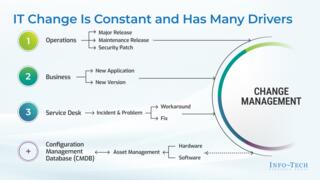 Optimize IT Change Management
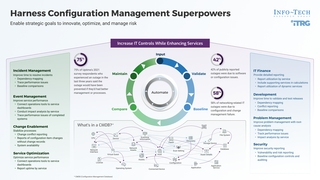 Harness Configuration Management Superpowers
 Develop Infrastructure & Operations Policies and Procedures
 Stabilize Release and Deployment Management
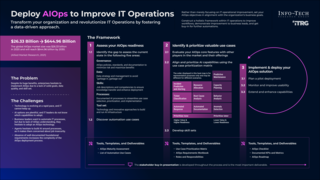 Deploy AIOps to Improve IT Operations
 Improve IT-Business Alignment Through an Internal SLA
 Implement Infrastructure Shared Services
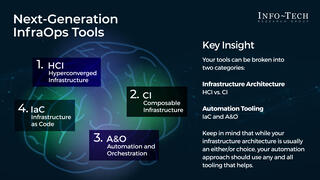 Next-Generation InfraOps
 Reduce Manual Repetitive Work With IT Automation
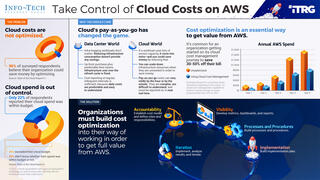 Take Control of Cloud Costs on AWS
 Take Control of Cloud Costs on Microsoft Azure
 Govern Shared Services
 Take Control of Infrastructure and Operations Metrics
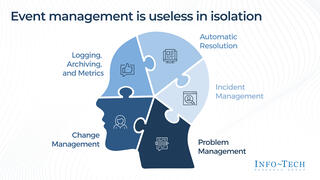 Engineer Your Event Management Process
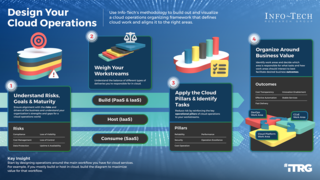 Design Your Cloud Operations
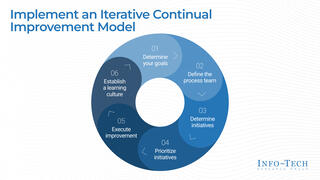 Build a Continual Improvement Program
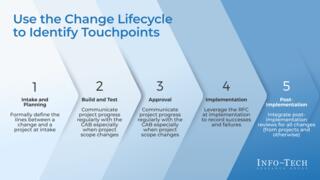 Align Projects With the IT Change Lifecycle
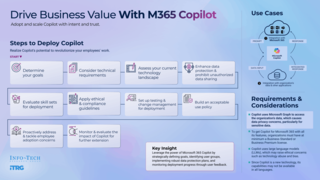 Drive Business Value With Microsoft 365 Copilot
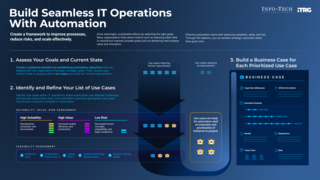 Build Seamless IT Operations With Automation
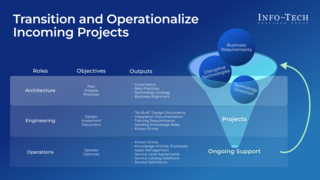 Transition and Operationalize Incoming Projects
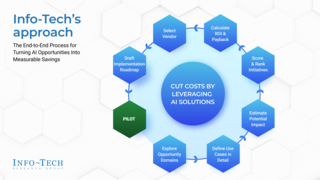 Cut Costs by Leveraging AI Solutions
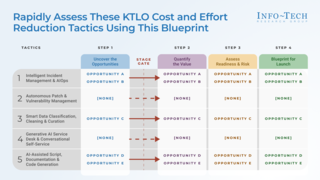 Harness AI to Reduce the Cost and Effort of KTLO in IT Operations
 AI in Seven Charts
 Emerging AI Trends and Predictions From Our Global Technical Counselor Team
 People Change in the Face of Disruptive Technology
 Lead IT Like a Business: Every Dollar Is a Decision
 Optimize Cloud & AI Spend With Agentic FinOps
 Beyond Firefighting: Tactics to Elevate Your Role in Infrastructure & Operations
 Influence Unleashed: The IT Leader’s Superpower
 The Challenge of Ethics in the Use of AI
 Introducing the Info-Tech Speakers Bureau
 Inside the Agentic Enterprise
 Agents 2.0: From Autonomy to Architecture
 Agentic IT: From Hype to Value
 Tech Trends 2027 Keynote
 Become an Exponential CIO
 Beyond the Agent: The Leadership Ecosystem for an AI-Enabled World
 Five Key Takeaways From Info-Tech LIVE 2026
 Transform Infrastructure Delivery Through Platform Engineering
