











What is Creatio Studio?
No-code agentic platform to build applications and AI agents with natural language and visual designers.
Company Details
Need Assistance?
We're here to help you with understanding our reports and the data inside to help you make decisions.
Get AssistanceCreatio Studio Ratings
Real user data aggregated to summarize the product performance and customer experience.
Product scores listed below represent current data. This may be different from data contained in reports and awards, which express data as of their publication date.
85 Likeliness to Recommend
83 Plan to Renew
86 Satisfaction of Cost Relative to Value
Emotional Footprint Overview
Product scores listed below represent current data. This may be different from data contained in reports and awards, which express data as of their publication date.
+94 Net Emotional Footprint
The emotional sentiment held by end users of the software based on their experience with the vendor. Responses are captured on an eight-point scale.
How much do users love Creatio Studio?
Pros
- Continually Improving Product
- Reliable
- Enables Productivity
- Trustworthy
How to read the Emotional Footprint
The Net Emotional Footprint measures high-level user sentiment towards particular product offerings. It aggregates emotional response ratings for various dimensions of the vendor-client relationship and product effectiveness, creating a powerful indicator of overall user feeling toward the vendor and product.
While purchasing decisions shouldn't be based on emotion, it's valuable to know what kind of emotional response the vendor you're considering elicits from their users.
Footprint
Negative
Neutral
Positive
Feature Ratings
Exception and Error Handling
Backend Coding and Scripting
Collaboration
ALM Integration
Import and Export Capabilities
Application Security
Automated Delivery Pipeline
Role-Based Access Management
Data and Entity Mapping
Templates
Audit Trail
Vendor Capability Ratings
Business Value Created
Ease of IT Administration
Availability and Quality of Training
Quality of Features
Ease of Implementation
Ease of Customization
Usability and Intuitiveness
Breadth of Features
Vendor Support
Product Strategy and Rate of Improvement
Ease of Data Integration
Also Featured in...
Creatio Studio Screenshots
Creatio Studio Downloads
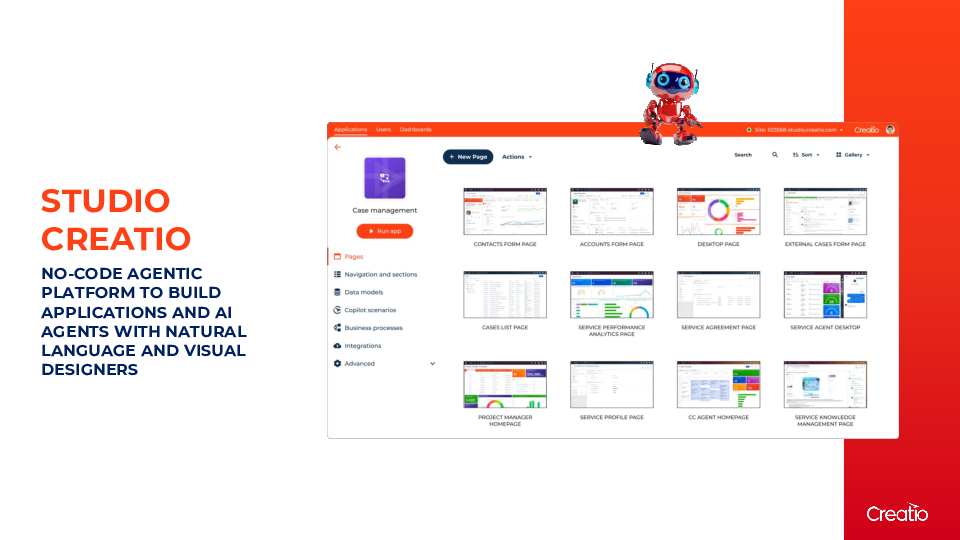
Studio Creatio
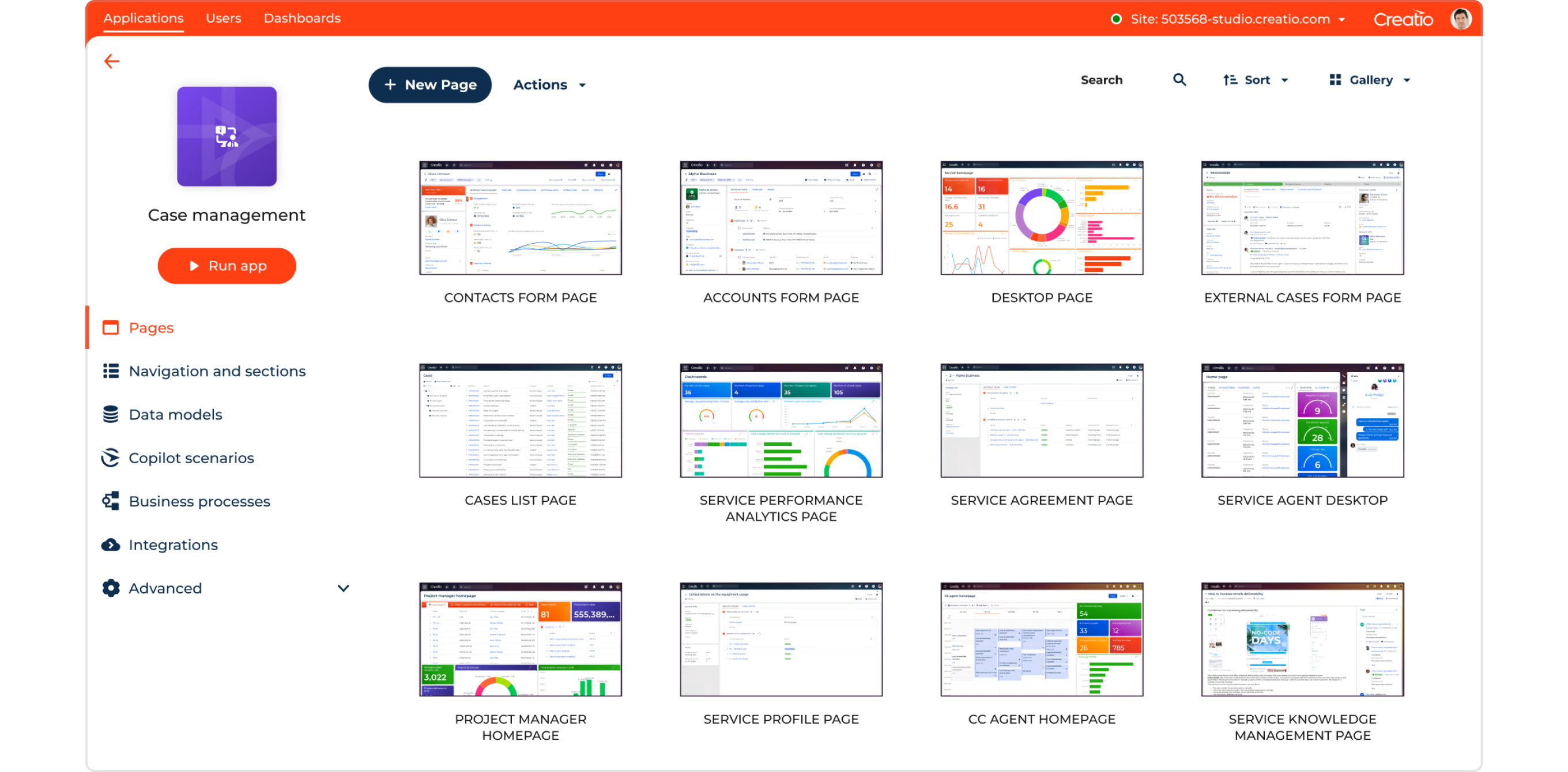
Creatio Studio Reviews

Akshay A.
- Role: Information Technology
- Industry: Technology
- Involvement: IT Development, Integration, and Administration
Submitted Dec 2025
Powerful yet overwhelming tool for automation
Likeliness to Recommend
What differentiates Creatio Studio from other similar products?
What truly sets Creatio Studio apart from other similar platforms is its powerful, all-in-one approach that seamlessly blends simplicity with deep functionality. While many tools focus either on basic workflow automation or highly complex development, Creatio Studio strikes a remarkable balance. It gives business users a surprisingly intuitive, low-code drag-and-drop interface to build applications, yet it doesn't limit professional developers, offering full code access and customization when needed. This means teams can start quickly and then scale their solutions without hitting a ceiling.
What is your favorite aspect of this product?
Creatio Studio is how it genuinely feels like an all-in-one workspace that doesn’t overwhelm you. Instead of juggling ten different disconnected tools for design, prototyping, and collaboration, everything flows together in one intuitive environment. It saves an incredible amount of time and mental energy because you’re not constantly exporting, switching tabs, and re-uploading files. I can start with a rough wireframe, polish it into a high-fidelity design, and then create a fully interactive prototype for testing, all without leaving the platform.
What do you dislike most about this product?
While I find the platform powerful for process automation, the aspect I struggle with most is its steep learning curve. The interface, though comprehensive, can feel overwhelming and not particularly intuitive for new users. Even basic configuration often requires navigating through multiple layers of menus and property sheets, which slows down initial development.
What recommendations would you give to someone considering this product?
I would first recommend honestly assessing your own technical comfort level. While powerful, it has a learning curve, so be prepared to invest some time upfront in their tutorials or documentation to truly unlock its potential. Before diving in, clearly define the specific tasks you need it for, whether it's complex workflow automation, detailed process mapping, or application development. This focus will help you determine if its extensive feature set is a perfect match or potentially overkill for simpler needs. I’d strongly suggest taking full advantage of their free trial or demo offers.
Pros
- Inspires Innovation
- Respectful
- Fair
- Reliable

Paulo F.
- Role: Information Technology
- Industry: Technology
- Involvement: IT Leader or Manager
Submitted Jun 2025
Flexible Platform with Strong Process Capabilities
Likeliness to Recommend
What differentiates Creatio Studio from other similar products?
Creatio Studio differentiates itself through its unified low-code/no-code platform that combines process automation, CRM, and case management in a single environment. Unlike many competitors, it places a strong emphasis on business process modeling (BPMN) and allows both business users and developers to collaboratively design, automate, and optimize workflows without switching tools. The interface is highly customizable, and its robust out-of-the-box process library accelerates deployment. Additionally, Creatio offers an open architecture that supports complex integrations while maintaining user-friendly design tools.
What is your favorite aspect of this product?
My favorite aspect of Creatio Studio is its powerful and intuitive process designer. It allows users to visually map out complex workflows using BPMN standards without needing deep technical knowledge. This bridges the gap between business and IT teams, enabling rapid iteration and alignment. The ability to automate, test, and refine processes within the same interface significantly accelerates digital transformation efforts.
What do you dislike most about this product?
What I dislike most about Creatio Studio is the presence of legacy UI components that haven’t yet been fully modernized. While the platform has evolved significantly, certain areas still rely on older interface elements, which can slow down configuration workflows and limit the user experience. This inconsistency makes it harder to maintain a smooth, efficient setup process across the platform.
What recommendations would you give to someone considering this product?
I recommend allocating time to explore both the modern and legacy areas of the platform before committing to major customizations. While Creatio Studio offers strong low-code tools and process automation capabilities, parts of the UI still rely on older components that may impact efficiency in certain configurations. Also, involve both business and technical users early on — the platform shines when used collaboratively across teams. Finally, consider leveraging Creatio’s support and community resources to shorten the learning curve and accelerate implementation.
Pros
- Reliable
- Enables Productivity
- Respectful
- Acts with Integrity

Mansi K.
- Role: Consultant
- Industry: Engineering
- Involvement: IT Leader or Manager
Submitted Feb 2025
Easy to use
Likeliness to Recommend
What differentiates Creatio Studio from other similar products?
It stands out due to its no-code/low-code platform, allowing users to quickly build and customize workflows, apps and processes without needing extensive coding skills.
What is your favorite aspect of this product?
My favorite aspect is its no-code/low-code approach, which makes building and automating workflows incredibly easy, even for users with limited technical knowledge.
What do you dislike most about this product?
one of the main dislike I have is that while it is user-friendly, the drag-and-drop interface is intuitive, there are times when more advanced customization options feel a bit restrictive compared to fully coded solutions.
What recommendations would you give to someone considering this product?
I'd recommend starting with a clear understanding of your automation and customization needs. If your needs are straightforward, it's an excellent tool, for more advanced customizations, you might need additional technical expertise or third-party integrations.