
Right-Size Your Enterprise Application Support Team
Stop guessing. Make data-driven decisions about your support team.
Ensuring application support teams are at their optimal size and structure is critical when running major enterprise apps like ERPs or CRMs. But this challenge becomes even more complex when transitioning from on-premises to a cloud or hybrid environment. Overstaffing can lead to wasted productivity and higher costs while understaffing can lead to poor service quality. Use our step-by-step framework to build an optimized application support team that has the right people in the right places, helping to deliver maximum value.
Existing support structures aren’t designed for the pace and patterns of cloud delivery. Constant advancements in technology create new layers of complexity as application support teams struggle to adapt to new platforms and processes. These knowledge gaps, combined with increasing workloads and resource constraints, can impact customer experience and ultimately the bottom line. Learn how to build a structured plan that’s designed to handle this new environment, optimize support team resources, and align with organizational priorities.
1. Right-sizing is more about skill shifts than headcount.
Pressure to optimize costs and access emerging technologies is fueling the trend to outsource application support. By 2030, global IT outsourcing revenue is expected to grow by 6.5% and reach $805 billion, according to Statista. But right-sizing is mainly about rebalancing skills, reducing infrastructure-heavy roles, and increasing expertise in integration, security, release management, and vendor coordination. Organizations that merely adjust headcount but don’t reshape skills stay overstaffed in legacy work, still lacking the capabilities their business needs.
2. Vendor dependency creates hidden support layers.
Moving to new and emerging technologies creates a new layer of work managing vendor SLAs, release cycles, escalation paths, and change impacts, which must all be explicitly staffed and owned. Teams that ignore this coordination load may appear right-sized on paper but quickly become overwhelmed. This slows incident resolution and limits the value delivered: 43% of customers are unlikely to buy a brand again due to poor customer service, according to a 2025 Salesforce study.
3. Staffing shouldn’t be the first thing you address when there are problems.
When there are challenges keeping up with workload, it’s tempting to blame a lack of resources. That assumption is often wrong, however. Make sure you first have a clear understanding of your environment, the specific problems you need to solve, data to track demand, and optimized support team processes.
Use this step-by-step framework to eliminate guesswork and move toward an optimized application support team.
Our methodology empowers you to make staffing decisions based on actual workload, role requirements, and organizational priorities. Use our timely research insights and practical workbook to:
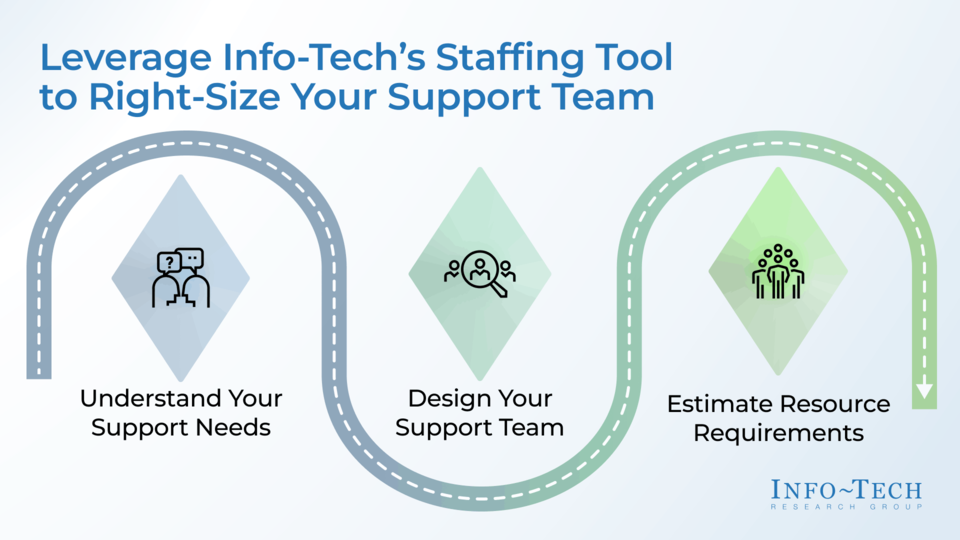
- Understand your support needs by estimating high-level staffing needs, defining support requirements, and mapping role requirements.
- Design your support team by building your support team structure and determining your sourcing strategy.
- Estimate resource requirements by estimating your staffing needs, reviewing your results, and determining and validating your KPIs.
Member Testimonials
After each Info-Tech experience, we ask our members to quantify the real-time savings, monetary impact, and project improvements our research helped them achieve. See our top member experiences for this blueprint and what our clients have to say.
8.3/10
Overall Impact
$8,349
Average $ Saved
5
Average Days Saved
Client
Experience
Impact
$ Saved
Days Saved
Thorlabs, Inc.
Guided Implementation
8/10
N/A
N/A
The purpose was never savings, rather learning and discovery, and the project achieved that. The hardest part was to find time with my team to real... Read More
Daytona State College
Guided Implementation
8/10
$6,899
5
Department of Transport and Main Roads
Guided Implementation
9/10
$9,800
5
I appreciated Ricardo's independent assessment and specifically the reframing of the process owner model from a conceptual model into something tha... Read More
Right-Size Your Enterprise Application Support Team
Stop guessing. Make data-driven decisions about your support team.
Analyst perspective
Optimize enterprise application support for scalability and efficiency.
|
Pooja Khandelwal |

Jinit Shah |

When running major enterprise applications (ERP, CRM, HRIS, etc.), organizations face a critical challenge in determining the optimal size and structure of their application support teams. This challenge becomes even more complex when transitioning from traditional on-premises systems to cloud or hybrid environments since the nature of the support tasks changes. Overstaffing can lead to wasted productivity or higher costs, while understaffing can lead to poor service quality.
Taking a structured approach to right-sizing application support teams can overcome these challenges. By making staffing decisions based on actual workload, role requirements, and business priorities, organizations can create a support model that is both efficient and scalable. This approach ensures organizations have the right people in the right places, helping deliver maximum value.
This blueprint walks you through building an optimized application support team. It provides practical steps to estimate staffing needs, define role requirements, determine your sourcing strategy, and validate key performance indicators (KPIs) that align with business outcomes. By following this approach, organizations can eliminate guesswork and move toward an optimized application support team.
Executive summary
|
Your Challenge |
Common Obstacles |
Info-Tech’s Approach |
|---|---|---|
|
Your organization is transitioning from on-premises systems to cloud-based platforms and facing several challenges:
|
Right-sizing your support team is hindered as cloud operations fail to align with existing capabilities. Your organization lacks:
|
Build an application support team that delivers value at scale:
|
Info-Tech Insight
Right-sizing is more about skill shifts than headcount. Right-sizing is primarily about rebalancing skills – reducing infrastructure-heavy roles and increasing expertise in integration, security, release management, and vendor coordination. Organizations that only adjust headcount without reshaping skills stay overstaffed in legacy work while still lacking the cloud capabilities the business needs.
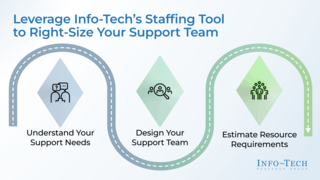
Leverage Info-Tech’s staffing tool to right-size your support team
1. Understand Your Support Needs
Outcomes: Define support requirements and map role requirements.
Activities in the workbook:
Define Support Requirements
& Map Role Requirements
2. Design Your Support Team
Outcomes: Align on your sourcing methods and build your support team structure.
Activities in the workbook:
Sourcing & Support Team Structure
3. Estimate Resource Requirements
Outcomes: Use past tickets to predict staffing needs, define your KPIs, and apply the staffing calculator to estimate the team required to support current ticket volumes.
Activities in the workbook:
KPIs & Staffing Calculator
Build your support model strategy
|
Steps |
Outcomes |
|---|---|
|
Step 1 – Understand Your Support Needs
Step 2 – Design Your Support Team
Step 3 – Estimate Resource Requirements
|
|
Insight Summary
Overarching insight
Right-sizing is more about skill shifts than headcount. Right-sizing is primarily about rebalancing skills – reducing infrastructure-heavy roles and increasing expertise in integration, security, release management, and vendor coordination. Organizations that only adjust headcount without reshaping skills stay overstaffed in legacy work while still lacking the capabilities the business needs.
Vendor dependency creates hidden support layers
Moving to new and emerging technologies creates a new layer of work managing vendors’ SLAs, release cycles, escalation paths, and change impacts, which must be explicitly staffed and owned. Teams that ignore this coordination load may appear right-sized on paper but quickly become overwhelmed, slowing incident resolution and limiting the value they deliver.
Sourcing decisions balance control and expertise
Choosing the right sourcing strategy is about your organization’s culture, knowledge, and infrastructure level. Focusing on just skills risks overloading internal teams or becoming overly dependent on vendors, which can lead to inefficiencies and worse performance.
Staffing shouldn’t be the first thing you address when there are problems
It’s tempting to assume that challenges keeping up with workload are due to a lack of resources, but that assumption is often wrong. Ensure you first have a clear understanding of your environment, the specific problems you need to solve, data to track demand, and optimized support team processes.
Blueprint deliverable
This blueprint is accompanied by a supporting deliverable to help you accomplish your goals.
Right-Size Your Enterprise Application Support Team Workbook
Use this tool to estimate staffing needs, define support requirements, map role responsibilities, determine sourcing and team structure, and establish key performance indicators.
Benefits of this blueprint
|
IT Benefits |
Business Benefits |
|---|---|
|
|
What an application support team does
The primary objective of an application support team is to ensure application stability, performance, and availability. Their duties include:
|
Troubleshooting and Issue Resolution: They are the first responders to application errors, bugs, and user-reported problems. They diagnose issues, find root causes, and implement fixes or workarounds. User Support and Communication: Team members provide technical assistance and guidance to end users via various channels like phone, email, and live chat. They explain technical details in an understandable way and manage user expectations. Performance Monitoring and Maintenance: They continuously monitor application performance to detect bottlenecks and potential issues before they cause disruptions. Routine tasks include applying patches, updates, and security fixes. |
Collaboration With Other Teams: For complex issues that require code changes, the support team acts as a bridge to the software development teams. They also work with cross-functional teams like quality assurance (QA) and IT infrastructure to ensure seamless functionality across systems. Documentation and Reporting: They maintain detailed records of incidents, resolutions, and system changes to build a knowledge base, which aids in future problem-solving and decision-making for senior staff. Application Enhancements: They gather user feedback and suggest improvements or new features to the development teams, contributing to the application's continuous improvement and alignment with evolving business needs. |
Adapted from Indeed, 2025, and Robert Half, 2025
Unlock the value of a strong application support team
|
Why is it important to have an effective support team? |
||||
|---|---|---|---|---|
|
Minimizing Downtime |
Ensuring Business Continuity |
Enhancing Customer Experience |
Boosting Security and Compliance |
Cost Efficiency |
|
Through rapid issue resolution, application support teams safeguard uptime and maintain the seamless operation of key business processes. |
Core systems never skip a beat thanks to support teams, keeping daily operations smooth and business-critical applications always accessible. |
By resolving issues efficiently, support teams turn smooth application performance into happier users and stronger customer interactions and have a direct impact on revenue. |
Regular upkeep turns compliance and data protection from obligations into a competitive advantage, reducing both legal and financial risks. |
Staying ahead with maintenance and prevention is far cheaper than scrambling to fix failures or rebuild broken systems. |
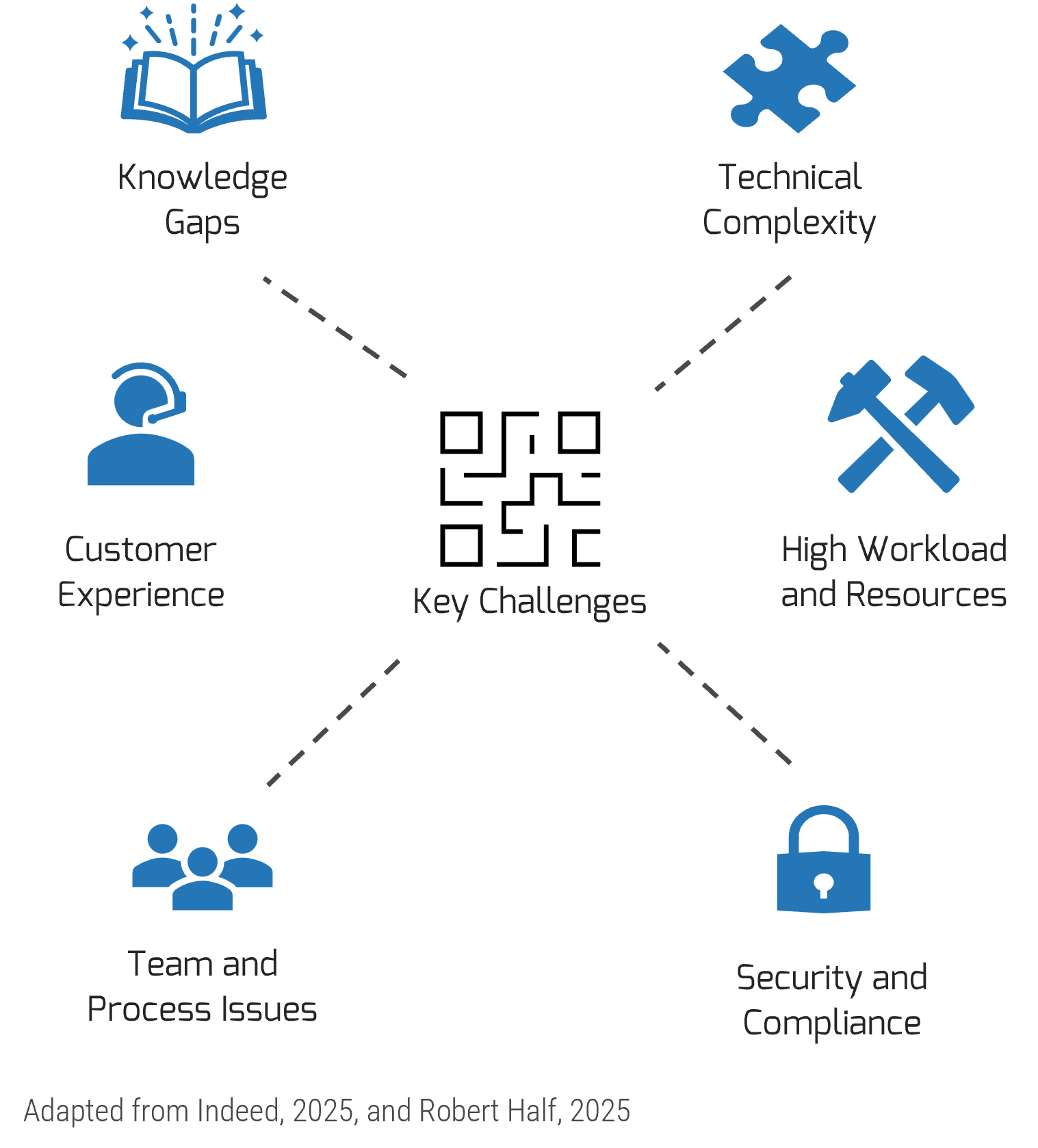
Complexity, burnout, and risk are reshaping application support
The transition from on-premises to cloud, combined with constant advancements in technology, is reshaping how organizations need to manage application support. This evolution introduces layers of technical complexity as teams struggle to adapt to new platforms and processes, creating knowledge gaps that slow progress and increase risk.
At the same time, resource constraints and increasing workloads push employees to their limits, reducing delivery speed and team morale. These internal issues start to spill outward, impacting customer experience and, ultimately, the bottom line.
Together, these challenges demand more than incremental fixes. They require a strategic shift toward right-sizing application support that includes optimizing resources, aligning team capacity with demand, and building a structured plan to handle this new environment.
$4.4 million average cost of a single data breach
Source: IBM, 2025
43% of customers are unlikely to buy a brand again due to poor customer service.
Source: Salesforce, 2025
48% of IT professionals have abandoned projects due to a lack of tech skills.
Source: Pluralsight, 2025
Key trend
Automation-driven support teams
As enterprise systems grow more complex and user expectations rise, traditional support models that are built around manual triage, email queues, and siloed tools struggle to keep pace. Organizations are embracing automation such as self-service chatbots to fundamentally reshape how support teams operate.
Modern support automation includes AI-powered triage engines, intelligent routing, real-time monitoring, and workflow orchestration. These tools enable support teams to prioritize critical issues instantly, auto-assign tasks, and maintain visibility across channels. Support staff can focus on high-value work instead of just chasing tickets.
This shift empowers support teams to scale without changing headcount, improve SLA performance, and deliver faster, more consistent service. Automation is used as a tool to amplify the impact of support teams.
Case study
Delivering efficiency, compliance, and reliability through support automation in regulated environments
INDUSTRY: Information Technology
SOURCE: Corporate Lounge
|
Overview |
Solution |
Results |
|---|---|---|
|
Symbiont is a government technology contractor specializing in secure inmate communication systems. With clients like NASA, the Veterans Administration, and the FCC, Symbiont operates in a highly regulated environment where compliance, uptime, and operational efficiency are critical. The company faced several challenges including manual ticket triage, compliance risks from human error, frequent system outages, and inefficient email handling across siloed platforms. |
Symbiont partnered with Corporate Lounge to deploy an automation strategy:
|
The partnership delivered the following benefits:
|
Case study
Improve employee productivity through a tiered support model
INDUSTRY: Information Technology
SOURCE: ScienceSoft
Overview | Solution | Results |
|---|---|---|
System One, a leading provider of specialized outsourced services and workforce solutions, operates across 50+ locations with 9,000 employees. The company relies on multiple cloud-based systems and custom solutions for daily operations. Facing resource gaps due to attrition and the complexity of maintaining integrations, System One was looking to deliver comprehensive L1 to L3 support with the following goals:
| ScienceSoft provided:
| The partnership delivered the following benefits:
|
Step 1
Understand your support needs
Activities
1.1 Define support requirements
1.2 Map role requirements
This step involves the following participants:
- Product management team
- Software development leadership team
- Key stakeholders
Outcomes of this step:
- Define support requirements and map role requirements.
About Info-Tech
Info-Tech Research Group is the world’s fastest-growing information technology research and advisory company, proudly serving over 30,000 IT professionals.
We produce unbiased and highly relevant research to help CIOs and IT leaders make strategic, timely, and well-informed decisions. We partner closely with IT teams to provide everything they need, from actionable tools to analyst guidance, ensuring they deliver measurable results for their organizations.
What Is a Blueprint?
A blueprint is designed to be a roadmap, containing a methodology and the tools and templates you need to solve your IT problems.
Each blueprint can be accompanied by a Guided Implementation that provides you access to our world-class analysts to help you get through the project.
Talk to an Analyst
Our analyst calls are focused on helping our members use the research we produce, and our experts will guide you to successful project completion.
Book an Analyst Call on This Topic
You can start as early as tomorrow morning. Our analysts will explain the process during your first call.
Get Advice From a Subject Matter Expert
Each call will focus on explaining the material and helping you to plan your project, interpret and analyze the results of each project step, and set the direction for your next project step.
Unlock Sample ResearchContributors
- Kelly Hawrysh, Program Manager – ERP/HCM, South Bow
- Kam Panchal, Enterprise Architect, Farm Mutual Re
 Mature and Scale Product Ownership
 Evolve Your Software Development Lifecycle Into a Solution Delivery Lifecycle
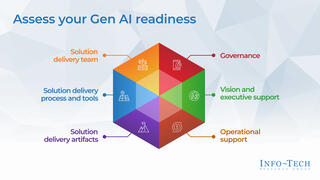 Adopt Generative AI in Solution Delivery
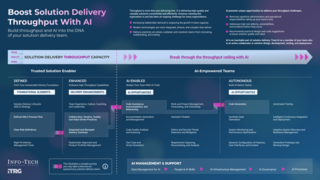 Boost Solution Delivery Throughput With AI
 Estimate Software Delivery With Confidence
 Select and Use SDLC Metrics Effectively
 Improve Application Development Throughput
 Spread Best Practices With an Agile Center of Excellence
 Perform an Agile Skills Assessment
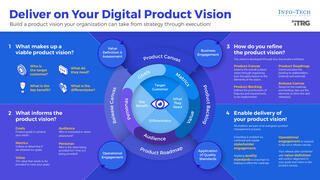 Deliver on Your Digital Product Vision
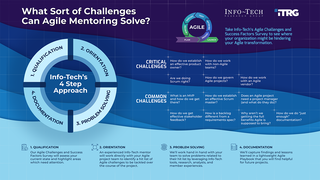 Mentoring for Agile Teams
 Implement DevOps Practices That Work
 Deliver Digital Products at Scale
 Enhance Your Solution Architecture Practices
 Define a Release Management Process to Deliver Lasting Value
 2020 Applications Priorities Report
 Agile Readiness Assessment Survey
 Define a Sourcing Strategy for Your Development Team
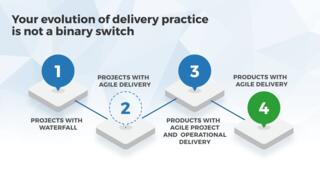 Define the Role of Project Management in Agile and Product-Centric Delivery
 Implement a Transformative IVR Experience That Empowers Your Customers
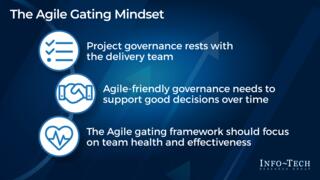 Create an Agile-Friendly Project Gating and Governance Approach
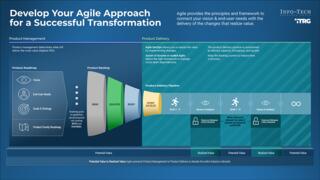 Develop Your Agile Approach for a Successful Transformation
 Take the First Steps to Embrace Open-Source Software
 Enable Product Delivery – Executive Leadership Workshop
 Right-Size Your Enterprise Application Support Team
 Defend Against Defects and Technical Debt in Your AI-Generated Code
 Master Systematic Application Replacement With a Fit-for-Purpose Plan
