

What is X1 Search?
X1 Search provides users the fastest, simplest way to find and work with the exact information they need and thought they’d never find again. By providing the fastest access to their email, documents, chats, and more across all their data sources including, Microsoft 365 (Mail, OneDrive, Teams, SharePoint, Exchange), Google Workspace (Gdrive, Gmail), Slack, network files, local files, cloud sources, and more in a single search, X1 Search unlocks the potential for people to leverage years of experience with just a few keystrokes, dramatically improve productivity, and function at their highest level.
Company Details
Need Assistance?
We're here to help you with understanding our reports and the data inside to help you make decisions.
Get AssistanceX1 Search Ratings
Real user data aggregated to summarize the product performance and customer experience.
Download the entire Product Scorecard
to access more information on X1 Search.
Product scores listed below represent current data. This may be different from data contained in reports and awards, which express data as of their publication date.
94 Likeliness to Recommend
100 Plan to Renew
81 Satisfaction of Cost Relative to Value
Emotional Footprint Overview
Product scores listed below represent current data. This may be different from data contained in reports and awards, which express data as of their publication date.
+95 Net Emotional Footprint
The emotional sentiment held by end users of the software based on their experience with the vendor. Responses are captured on an eight-point scale.
How much do users love X1 Search?
Pros
- Efficient Service
- Respectful
- Effective Service
- Performance Enhancing
How to read the Emotional Footprint
The Net Emotional Footprint measures high-level user sentiment towards particular product offerings. It aggregates emotional response ratings for various dimensions of the vendor-client relationship and product effectiveness, creating a powerful indicator of overall user feeling toward the vendor and product.
While purchasing decisions shouldn't be based on emotion, it's valuable to know what kind of emotional response the vendor you're considering elicits from their users.
Footprint
Negative
Neutral
Positive
Feature Ratings
Multi-Format Support
Data Source Connectors
Full-Text Search
Text Analysis
Faceted Search
Results Ranking
Rich Media Indexing
Content Analytics
AI/Machine Learning
Vendor Capability Ratings
Quality of Features
Product Strategy and Rate of Improvement
Vendor Support
Usability and Intuitiveness
Breadth of Features
Availability and Quality of Training
Ease of IT Administration
Ease of Implementation
Ease of Customization
Ease of Data Integration
Business Value Created
Also Featured in...
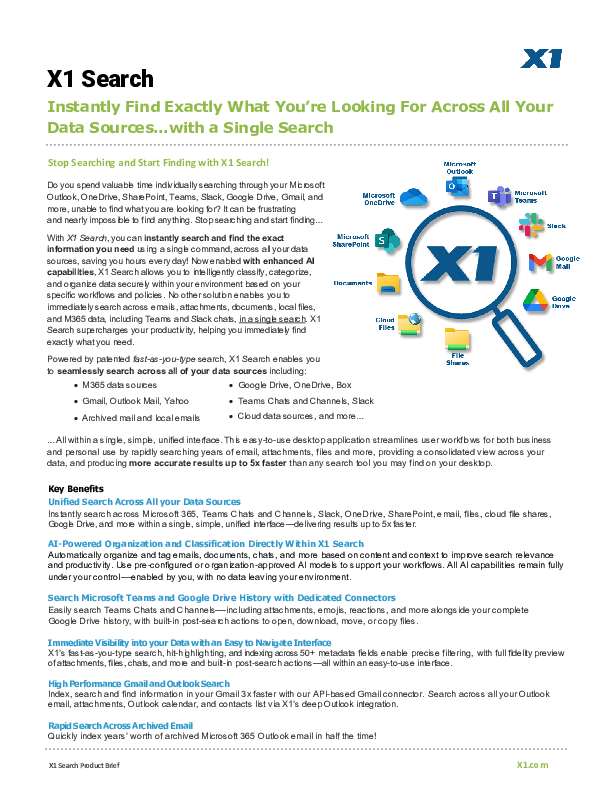
X1 Search At-A-Glance
X1 Search Now with Slack
X1 Search - Unified Search Across All Your Data Sources

X1 Search - Teams Chats and Channels

X1 Search - New API Based Gmail Connector

X1 Search - Outlook Post Search Actions

X1 Search Reviews

Chandan Y.
- Role: Information Technology
- Industry: Consulting
- Involvement: End User of Application
Submitted Jun 2026
Fast search tool that saves me hours every week,
Likeliness to Recommend
What differentiates X1 Search from other similar products?
Finds notes, PDFs and emails quickly. Research made easy with strong filtering. Searches a single interface for local and connected data sources. Fast and lightweight indexing of several files.
What is your favorite aspect of this product?
I can browse through information in search results quickly and find the passage I want without having to open thousands of files.
What do you dislike most about this product?
The interface looks a bit old compared to other search platforms. Initial indexing can take longer depending on the volume of data.
What recommendations would you give to someone considering this product?
Work with product documentation, requirement files, release notes, user guides and archival project material. X1 search makes you more productive all day without you even knowing it But when I look for a technical term in an old pdF or old project documents, the answers come quickly. I enjoy the powerful filters to search thousands of publications. The Ui needs upgrading but search performance more than makes up for that. X1 search is a good choice for anyone who needs to search information in big collections of files rapidly.
Pros
- Helps Innovate
- Performance Enhancing
- Trustworthy
- Unique Features
Siddhanth S.
- Role: Information Technology
- Industry: Technology
- Involvement: IT Leader or Manager
Submitted Jun 2026
Fast and Reliable Enterprise Search Solution: X1
Likeliness to Recommend
What differentiates X1 Search from other similar products?
X1 Search stands out because of its search capabilities. It allows us to quickly find emails, files, and documents from multiple sources from a single console.
What is your favorite aspect of this product?
My favorite part is the speed and accuracy of the search. It helps to identify important information within seconds.
What do you dislike most about this product?
The product works well overall, but new users may need a little time to become familiar with some of the advanced search and filtering options. Once understood, these features are very useful.
What recommendations would you give to someone considering this product?
I would recommend clearly identifying your search and data discovery requirements before deployment. X1 Search is a good choice for any organizations that need fast access to emails, files, and business data while improving user productivity.
Pros
- Respectful
- Client Friendly Policies
- Fair
- Altruistic

Ankit C.
- Role: C-Level
- Industry: Consulting
- Involvement: End User of Application
Submitted Jun 2026
Productivity Hack for research and data Discovery
Likeliness to Recommend
What differentiates X1 Search from other similar products?
Searches large collections of files and emails very quickly. Helps you locate datasets, reports and project documents in secondsWith advanced filters, you can quickly and effectively filter your resultsSupports a wide range of file types often used in technical environments.
What is your favorite aspect of this product?
The feature by far is the content based search. Instead of trying to recall the specific file names, I can search for keywords, project phrases or snippets of text and find the information I need quickly.
What do you dislike most about this product?
The interface is old-fashioned in comparison to newer data management systems. Indexing huge repositories can take system resources on first passCollaboration tools are somewhat limited for groups doing research projectsSometimes, when looking through enormous data sets, the results have to be further filtered.
What recommendations would you give to someone considering this product?
A lot of time digging out old datasets, experiment notes, model documentation and older reports. Before X1 Search, obtaining historical information often meant combing through folders and email threads for longer than I’d care to admit. What I liked best about X1 Search is the speed. Even on years of project data, technical documents, spreadsheets and communications it always provides relevant results relatively instantly. I find it particularly helpful to examine old analysis or check assumptions made in previous projects.
Pros
- Continually Improving Product
- Reliable
- Over Delivered
- Transparent