Complete Technology Projects Faster and More Effectively
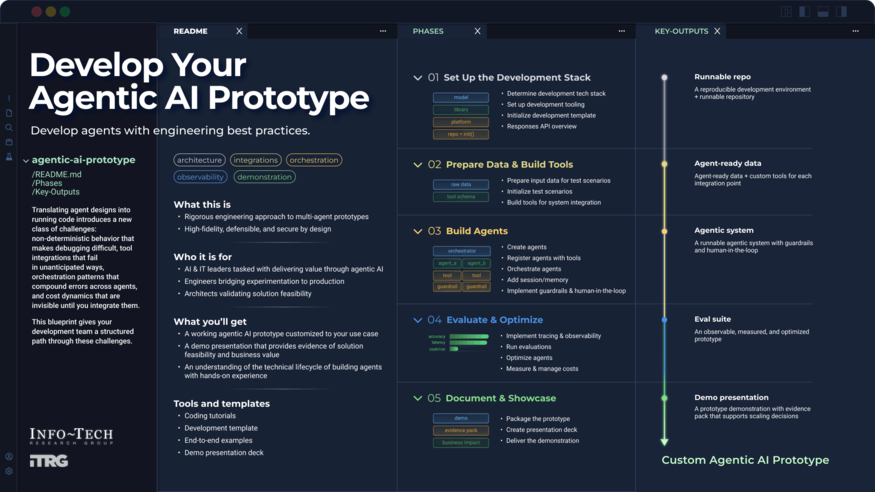
We offer over 450 do-it-yourself project and process blueprints, developed by our industry experts to help our members save time and money when it comes to tackling their most important IT initiatives.
CIO
CIO Research Centers
- American Rescue Plan Research Center
- COVID-19 Resource Center
- Exponential IT Research Center
- IT Communications Research Center
- IT Cost Optimization Research Center
- IT Critical Response Resource Center
- IT Leadership Career Planning Research Center
- IT Organizational Transformation Research Center
- IT Strategy Research Center
- IT’s Moment: A Technology-First Solution for Uncertain Times
- Marketing Research Center
- Merger, Acquisition, and Divestiture Research Center
- Modernization Center
- People & Leadership Research Center
- Public Sector Contracts
- Service Management Research Center
- Tech Trends & Priorities Research Center